How Claude + Linear Can Superpower Your Workflow
2026-03-04 · 4 min read
// what you can do
When Claude is connected to Linear, you can manage your entire project workflow through conversation:
- "Create an issue for the checkout bug in the Backend team." — Claude creates the issue with the right team, labels, and priority.
- "What are my assigned issues this sprint?" — Claude pulls your current sprint and lists your work.
- "Move the auth refactor issue to In Progress." — Claude updates the status without you opening Linear.
- "Summarize what the team shipped last week." — Claude reads completed issues and gives you a report.
- "Add a comment to BIN-25 saying the design is approved." — Claude posts the comment directly.
You stop context-switching. You stop hunting through boards. You just tell Claude what you need and it happens.
// the catch
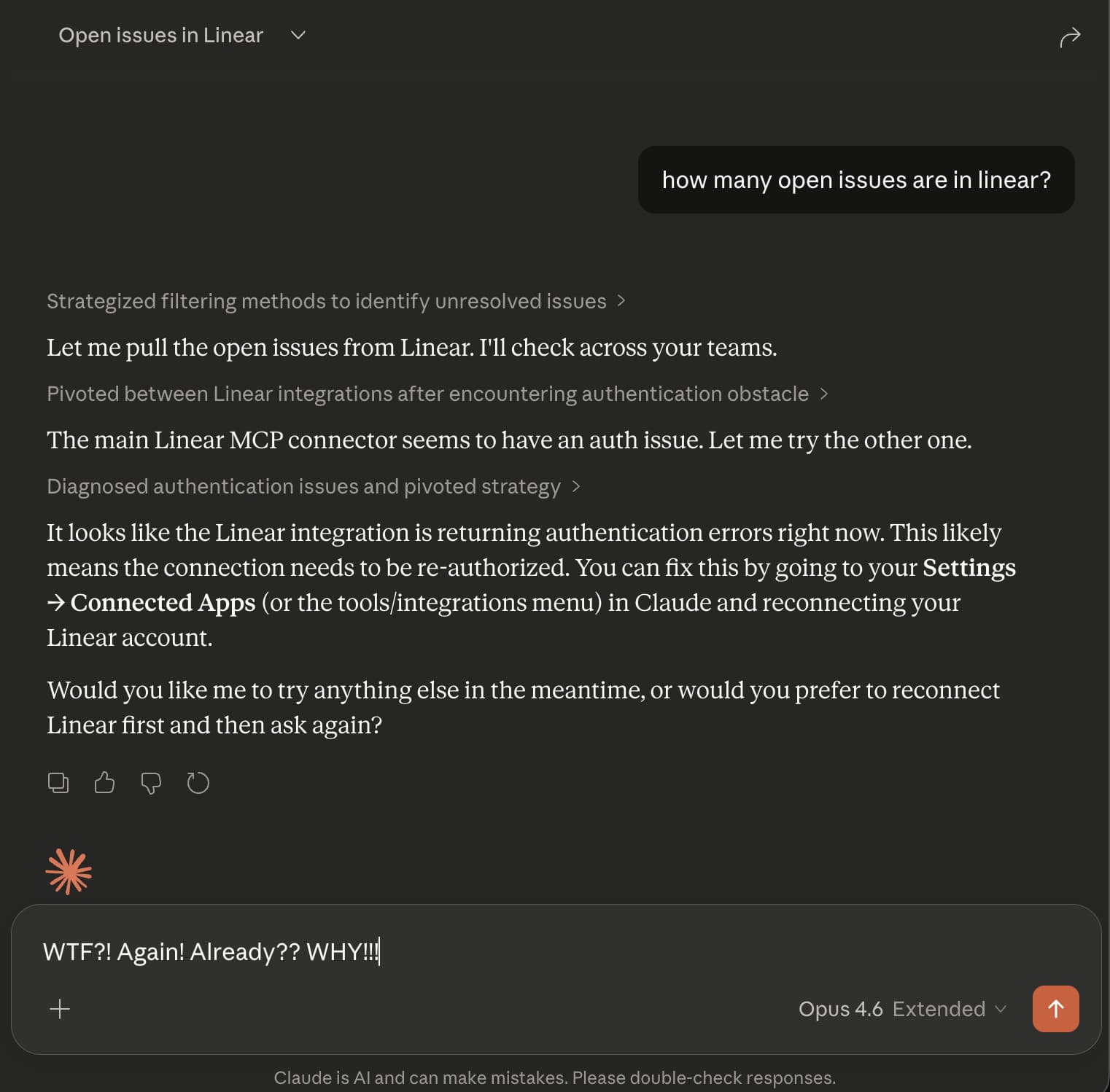
The first time you set it up, it works beautifully. Then the next day — or sometimes just hours later — the connection breaks. Linear's OAuth tokens expire, and Claude cannot refresh them automatically.
You have to manually disconnect the Linear connector, reconnect it, and re-authorize. On mobile, this means switching to a browser entirely. Some users report needing to do this multiple times per day.
The magic disappears fast when you spend more time fixing the connection than using it.
// how Bindify fixes it
Bindify acts as a permanent bridge between Claude and Linear. You authenticate once with Linear through Bindify, and Bindify handles token refresh forever after.
Claude gets a secret URL that never expires. No OAuth tokens for Claude to lose. No re-authentication. It just works — days, weeks, months later.
// setup guide
Step 1: Create a Bindify account
Sign up at app-stg.bindify.dev. Free 24-hour trial, no credit card.
Step 2: Connect Linear
Click "Add Connection" and select Linear. Authorize Bindify to access your workspace. This is the only time you will authenticate.
Step 3: Add to Claude
Copy your secret URL from the dashboard, then add it to your Claude client:
Claude.ai (Web)
- Click Settings (gear icon, bottom-left)
- Click Connectors
- Click Add custom connector
- Name it "Linear via Bindify"
- Paste your secret URL
Claude Desktop
Go to Settings > Connectors > Add custom connector and paste your secret URL.
Or edit the config file:
{
  "mcpServers": {
    "linear": {
      "url": "https://api-stg.bindify.dev/s/{connection-id}/{secret}/sse"
    }
  }
}
Claude Code (CLI)
claude mcp add linear \
  --transport sse \
  "https://api-stg.bindify.dev/s/{connection-id}/{secret}/sse"
Step 4: Done
Start a new conversation and ask Claude to do something with Linear. It will just work — permanently.
// you're not alone
Linear auth issues with Claude are widely reported:
- OAuth token expires mid-session in Claude Desktop
- OAuth token refresh disrupts autonomous workflows
- Feature request: Auto-reconnect for MCP servers
Read more: Fix: Claude Linear Auth Error
24-hour free trial. No credit card required.