The Broken Promise of Claude MCP Tools
2026-03-04 · 5 min read
// the dream
You discover that Claude can connect to your tools. Linear, Todoist, Notion, GitHub — all of them. You set up the MCP connector and suddenly Claude can create issues, manage your tasks, search your docs. It feels like magic.
"Create a Linear issue for the login bug we discussed."
"Add 'buy groceries' to my Todoist inbox."
"Find the API docs in our Notion workspace."
It just works. You start planning your entire workflow around it. Claude becomes your command center.
// the reality
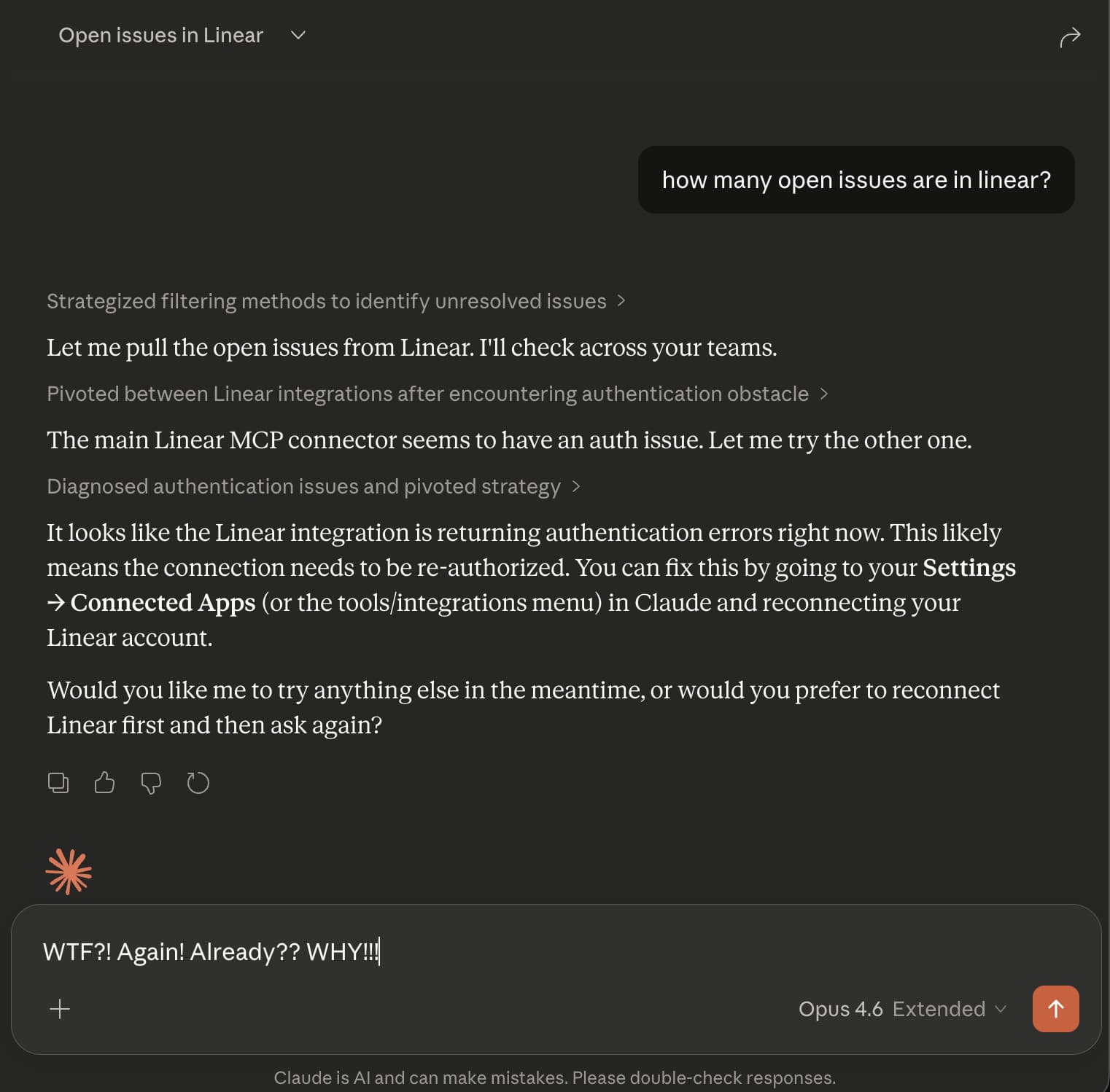
The next day, it is broken. You try to use Claude with Linear and get an authentication error. So you disconnect the integration, reconnect it, authorize again. It works. For a while.
Then it breaks again. Sometimes after a few hours. Sometimes after 20 minutes. You are spending more time re-authenticating than actually using the tools.
If you are on mobile, it is even worse. You cannot re-authenticate from the Claude mobile app. You have to switch to a browser, go to Claude.ai, find the connector settings, disconnect, reconnect, and then go back to the mobile app.
This is not the AI-powered workflow you signed up for.
// why it happens
The problem is OAuth tokens. When you connect a service like Linear to Claude, Claude gets an OAuth token — a temporary key to access your account. These tokens expire. That is by design — it is a security feature.
Most apps handle this transparently. When your token expires, they use a "refresh token" to get a new one in the background. You never notice.
Claude's MCP integrations do not do this reliably. When the token expires, the connection just breaks. Claude cannot fix it on its own. You have to manually go through the re-authentication flow every time.
This is a known issue. The community has been asking for auto-reconnect and better token refresh handling for months. Until Anthropic fixes it, you are stuck with the re-auth dance.
// the fix
Bindify is a proxy that sits between Claude and your tools. Instead of giving Claude a direct OAuth connection that breaks, you give Claude a permanent URL that routes through Bindify.
Here is how it works:
You authenticate once with Bindify
Standard OAuth flow with your service (Linear, Todoist, etc.)
Bindify manages your tokens
Automatic refresh, re-authentication, and error recovery. All in the background.
Claude gets a permanent URL
A secret URL that never expires. No OAuth tokens for Claude to lose.
Your connection never breaks
Days, weeks, months — it just keeps working.
Your tokens are encrypted with a key that only exists in your URL. Bindify never stores the decryption key. Even if Bindify were compromised, your tokens would be useless without your secret URL.
// get started
Step 1: Sign up for Bindify
Create a free account at app-stg.bindify.dev. No credit card required — you get a 24-hour free trial.
Step 2: Connect your service
Click "Add Connection" in the dashboard and choose your service. You will authorize Bindify once through the standard OAuth flow.
Step 3: Add to Claude
Copy your secret URL from the dashboard. Then add it to your Claude client:
Claude.ai (Web)
- Click Settings (gear icon, bottom-left)
- Click Connectors
- Scroll down and click Add custom connector
- Name it after your service (e.g. "Linear via Bindify")
- Paste your secret URL as the connector URL
Alternative: Customize (left nav) > Connectors > + button > Add Custom Connector
Claude Desktop
Go to Settings > Connectors > Add custom connector and paste your secret URL.
Or edit the config file directly:
{
  "mcpServers": {
    "your-service": {
      "url": "https://api-stg.bindify.dev/s/{connection-id}/{secret}/sse"
    }
  }
}
macOS: ~/Library/Application Support/Claude/claude_desktop_config.json
Windows: %APPDATA%\Claude\claude_desktop_config.json
Claude Code (CLI)
claude mcp add your-service \
  --transport sse \
  "https://api-stg.bindify.dev/s/{connection-id}/{secret}/sse"
// you're not alone
This is not a niche problem. Thousands of Claude users are hitting the same wall:
- OAuth token expires mid-session in Claude Desktop
- OAuth token refresh disrupts autonomous workflows
- Feature request: Auto-reconnect for MCP servers
- Persistent disconnection requiring daily re-auth
- MCP Auth expires too fast (Atlassian community)
- Atlassian MCP integration completely stopped working
Until Anthropic ships a proper fix, Bindify is the workaround that actually works.
24-hour free trial. No credit card required.