How Claude + Todoist Can Superpower Your Workflow
2026-03-04 · 4 min read
// what you can do
When Claude is connected to Todoist, your task management becomes conversational:
- "Add 'buy groceries' to my inbox." — Claude creates the task instantly.
- "What's on my list for today?" — Claude checks your Todoist and gives you a summary.
- "Move the dentist appointment to next Tuesday." — Claude reschedules it without you opening the app.
- "Create a project called 'Home Renovation' with tasks for getting quotes, choosing a contractor, and setting a budget." — Claude builds the whole project structure.
- "Mark 'send invoice' as done." — Claude completes it for you.
It turns Claude into a personal assistant that actually acts on your to-do list instead of just talking about productivity.
// the catch
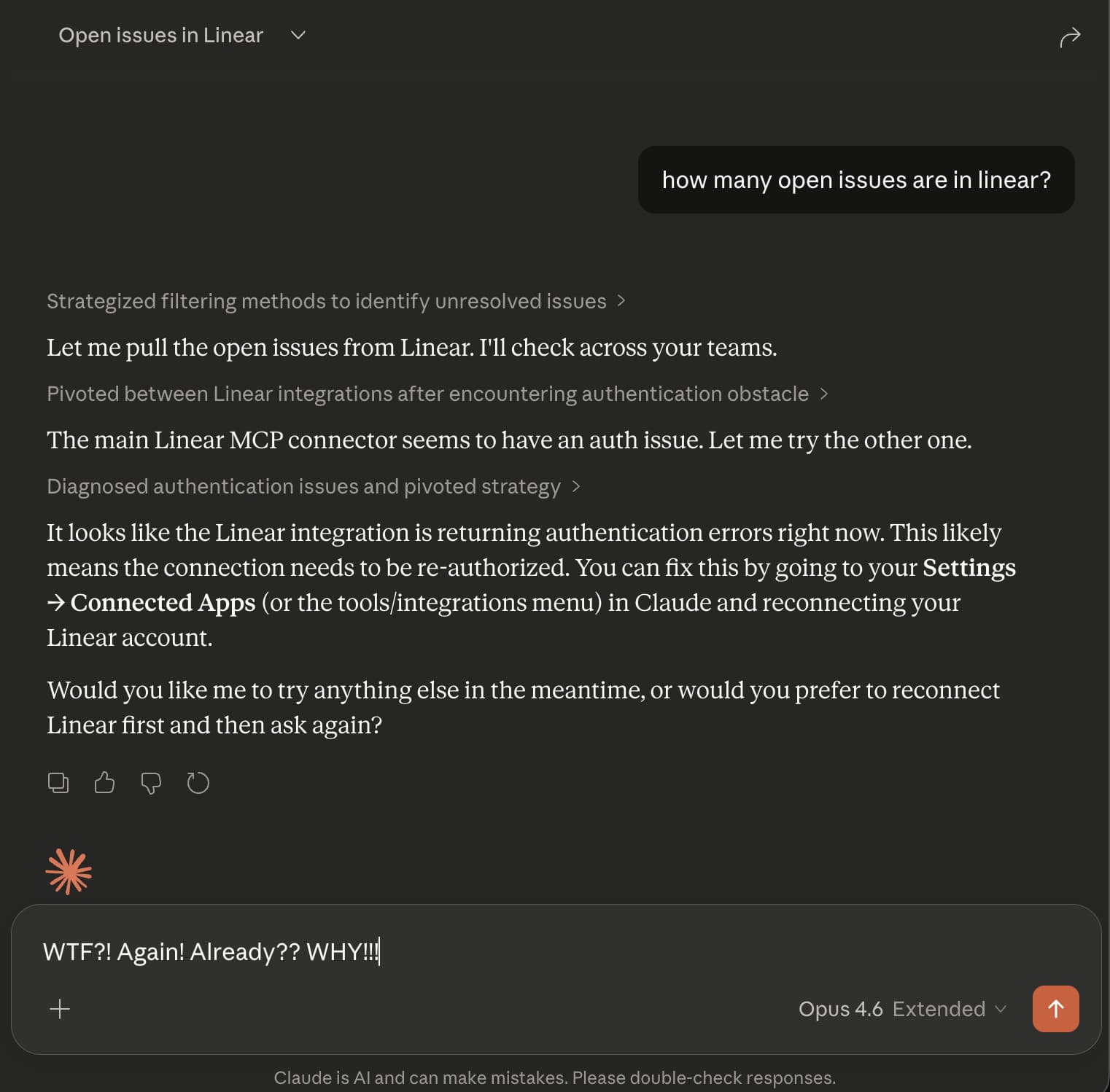
This is a real screenshot from Claude's Linear integration, but the same auth failures happen with every MCP connection — including Todoist.
You set it up, it works great, and then it stops. The OAuth token expires and Claude loses access to your Todoist account.
The re-auth process is painful: open settings, find the connector, disconnect it, reconnect it, authorize again. If you are on your phone, you have to switch to a browser first. Some users report this happening every single day.
A tool that is supposed to save you time ends up costing you time.
// how Bindify fixes it
Bindify sits between Claude and Todoist. You authenticate with Todoist once through Bindify, and it handles token refresh automatically in the background.
Claude gets a permanent URL. No tokens to expire. No re-authentication. Your Todoist connection works the same way on day 1 as it does on day 100.
// setup guide
Step 1: Create a Bindify account
Sign up at app-stg.bindify.dev. Free 24-hour trial, no credit card.
Step 2: Connect Todoist
Click "Add Connection" and select Todoist. Authorize Bindify to access your account. This is the only time you will authenticate.
Step 3: Add to Claude
Copy your secret URL from the dashboard, then add it to your Claude client:
Claude.ai (Web)
- Click Settings (gear icon, bottom-left)
- Click Connectors
- Click Add custom connector
- Name it "Todoist via Bindify"
- Paste your secret URL
Claude Desktop
Go to Settings > Connectors > Add custom connector and paste your secret URL.
Or edit the config file:
{
  "mcpServers": {
    "todoist": {
      "url": "https://api-stg.bindify.dev/s/{connection-id}/{secret}/sse"
    }
  }
}
Claude Code (CLI)
claude mcp add todoist \
  --transport sse \
  "https://api-stg.bindify.dev/s/{connection-id}/{secret}/sse"
Step 4: Done
Start a conversation and ask Claude to add a task. It will just work — permanently.
// you're not alone
Todoist auth issues with Claude are widely reported:
- Persistent disconnection requiring daily re-auth
- OAuth token refresh disrupts autonomous workflows
- Feature request: Auto-reconnect for MCP servers
Read more: Fix: Claude Todoist MCP Token Expired
24-hour free trial. No credit card required.